


Plantum - Plant Identifier
4.42.54K Reviews
App Specs
- Version
- 3.16.4
- Updated On
- License
- Free
- Downloads
- 5,000,000+
- Developer
- AIBY Inc.
- Categories
- Education
- Platform
- Android, iOS
Screenshots
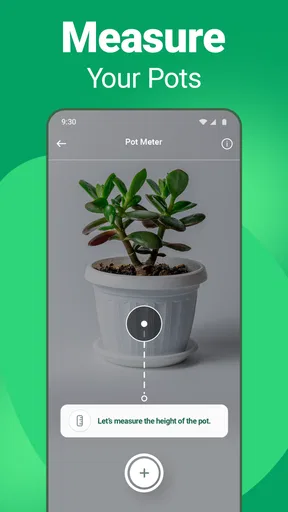
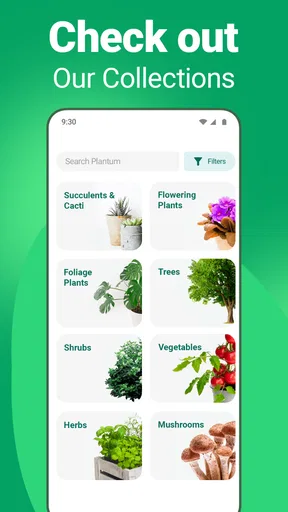
 Analysis by AppCompare
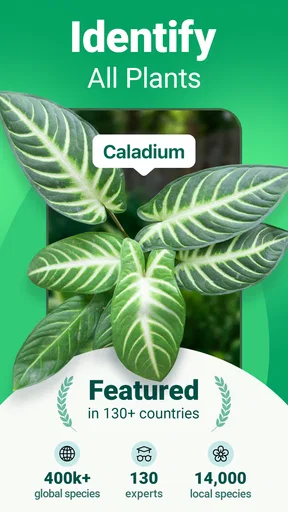
When I first open a plant-identification app, I want a useful answer without having to learn a whole new system. Plantum - Plant Identifier is aimed at that moment: you have a plant in front of you, you are unsure what it is, and you want a sensible next step. It is an education app from AIBY Inc., and its appeal is broader than naming flowers and trees; it also brings identification, plant-health guidance, and care information together.
What to expect from your first visit
I would approach Plantum as a handy reference, not as a substitute for close observation or expert advice. A photo can help narrow down what you are looking at, while the surrounding care information can give you ideas about what to check next. That combination makes it useful for a beginner who has inherited a houseplant, found an unfamiliar tree, or simply wants to put a name to something growing nearby.
The app is free to install and is rated for Everyone. Its average rating is 4.4, supported by around 47,000 ratings, and it has passed 5 million installs. Those figures suggest that it has found a sizeable audience, but they are not a promise that every photo will produce a perfect match. Plant identification depends on what is visible in the image, so I treat the result as a helpful lead to inspect rather than a botanical verdict.
Getting your first useful result
After opening the app, the most direct route is to photograph the plant you want to identify. For a clearer result, I would frame a distinctive feature rather than take a rushed picture of the whole scene: a leaf with its shape visible, a flower in focus, or a section of bark can be more informative than a distant shot. If the plant has several noticeably different features, taking separate pictures gives you a better basis for checking whether the suggested identity makes sense.
Once a result appears, I would compare it with the plant in front of me before relying on the care advice. Look at the leaf arrangement, overall form, and any flowers or markings you can see. This small pause is especially worthwhile if you are checking a plant with lookalikes. A confident-sounding name is most useful when it also fits what your eyes can verify.
From identification to everyday care
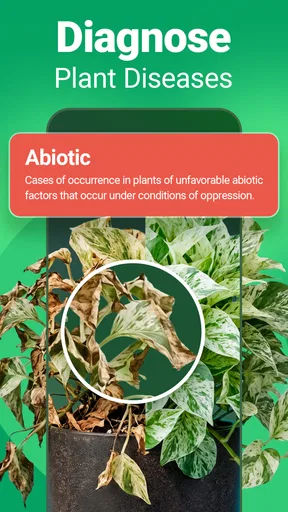
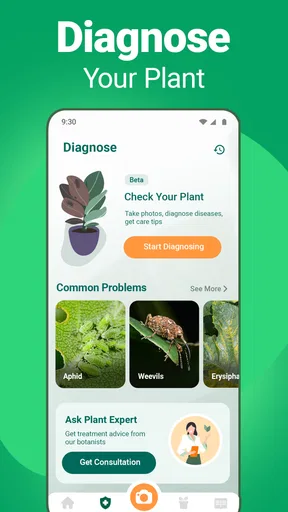
Plantum is not limited to recognition. Its care guidance gives a beginner somewhere to start when the next question is how to keep a plant healthy. The plant-health checker is also intended to help when something looks wrong, with a photo used to produce a diagnosis and treatment suggestions. I would use that as a prompt to investigate symptoms, not as a reason to apply a treatment immediately: yellowing, drooping, or spots can have more than one cause, and the plant’s growing conditions matter.
A practical example is bringing home a plant from a friend and forgetting its name by the time you get home. I would identify it while the leaves are still easy to photograph, save it to the digital garden, and then use the care information as a reference when planning its place in the room. If its appearance changes later, the health-checking option offers a starting point for thinking through what might be happening. That sequence—identify, keep a record, then check changes—is more useful than treating each feature as a separate novelty.
Worth Reading Before You Choose

EA SPORTS FC Mobile 26 Is a Bigger Football Game, but It Takes Time

Flipboard Shows What News Apps Must Do Beyond the Feed

Switching to Android Auto Means Rethinking Your Driving Routine

Google Calendar Makes a Crowded Week Easier to Manage

Ludo King Makes the Most of the Minutes Between Plans

Baby Panda World Brings Quick Play to Modern Phones, but Its Game Library Feels Busy
Make the collection work for you
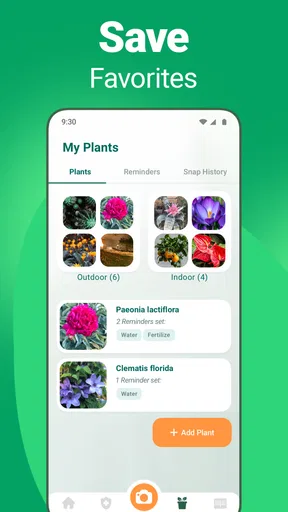
The digital garden is most helpful when you use it as a simple record rather than trying to catalogue every plant in one sitting. Adding a few plants you actually care for makes it easier to revisit their information and use watering reminders. I would start with plants that are easy to forget or that have recently struggled; those are the ones where a reminder or a saved reference can change what you do day to day.
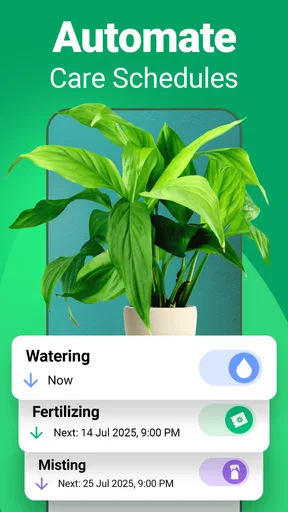
There is a trade-off here. A reminder can nudge you, but it cannot judge the soil, season, pot, or conditions in your home. I would treat a watering schedule as a prompt to check the plant, not an instruction to water automatically. That habit helps avoid following a timetable when the soil is still damp or the plant’s needs have changed.
The app also includes a community feature for sharing photos and tips with other plant enthusiasts. That can be useful when you want ideas from people who enjoy the same hobby, though community suggestions are best treated as experiences to compare rather than definitive care instructions. For a problem that is severe or spreading, a reliable horticultural source or local specialist may be a better next stop.
Where it fits among plant apps
Compared with searching the web image by image, Plantum gives you a more guided place to begin: identify the plant, look at relevant care details, and keep a collection in the same app. A general search engine can be better when you already know the likely species and want to compare advice from several sources. A printed field guide or specialist reference can also be preferable outdoors, especially if you want to learn identification traits rather than depend on a photo match.
For a first-time user, the main friction is the amount of material available. Plantum combines several kinds of plant help, so it can take a little time to find the parts that matter to you. I would ignore features I do not need at first and begin with one identification and one saved plant. The app is currently on version 3.16.4 and requires iOS 12 or later; the free starting point is appealing, while in-app purchases range from $0.99 to $59.99 per item. I would check what is included before committing to any paid option, particularly if I only need occasional identification.
Who will get the most from it
I think Plantum suits curious beginners, casual houseplant owners, and anyone who often encounters unfamiliar plants and wants a convenient first reference. It is especially appealing if you like keeping plant details and reminders together instead of spreading them across notes, browser tabs, and memory. A person caring for a small collection may get more ongoing value from the digital garden than someone who only wants to identify one plant on a walk.
It is less suited to someone who needs a guaranteed species-level answer for a high-stakes decision, or who prefers learning through field keys and close study. It is also not the right tool to rely on alone when a plant’s condition is deteriorating quickly. In those cases, use the app to organize observations and generate questions, then check a trusted specialist resource. That is a more responsible use of an automated diagnosis than treating it as certainty.
Getting Started with Plantum
The first thing I noticed about Plantum - Plant Identifier was its sleek and user-friendly interface. Setting it up was a breeze, and I was able to jump into identifying plants almost immediately. The app requires you to snap a picture of the plant in question, and within seconds, it provides you with detailed information about it. It’s like magic for plant lovers!
Features to Love
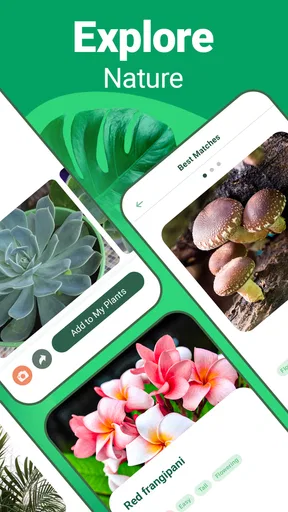
One of the standout features of Plantum is its extensive plant database. Whether you're curious about a common houseplant or an exotic species, the app seems to have it all covered. It doesn’t just stop at identification; the app offers care tips, watering schedules, and even pest management advice. It’s a comprehensive plant care tool.
I particularly appreciated the plant health checker feature. You can take a photo of a sick plant, and the app gives you a diagnosis and treatment suggestions. This is a lifesaver for anyone who’s ever had a wilting fern or a droopy succulent.
Personalizing Your Plant Collection
What’s really cool is that Plantum allows you to create your own digital garden. You can add plants to your collection, set reminders for watering, and track your plants’ progress over time. It’s perfect for those of us who tend to forget when we last watered our plants!
The app also has a community feature, where you can connect with other plant enthusiasts. You can share photos, swap tips, and even participate in challenges. It’s a great way to engage with like-minded plant lovers and learn from one another.
The Learning Curve
While the app is generally easy to use, I did experience a slight learning curve when it came to navigating all the features. With so much information and so many options, it can feel a bit overwhelming at first. However, once you get the hang of it, it’s smooth sailing.
Another thing to note is that while the basic identification features are free, some of the more advanced tools and features require a subscription. This could be a downside if you’re on a tight budget, but for plant enthusiasts looking to dive deep into plant care, it might be worth the investment.
Why You Might Want to Give It a Try
If you’re someone who’s passionate about plants, or even just a curious beginner, Plantum - Plant Identifier is definitely worth checking out. It’s like having a personal plant expert available 24/7. Whether you’re looking to identify a mysterious plant or ensure your green friends are healthy and happy, this app has got your back.
In conclusion, Plantum is a fantastic tool for anyone looking to enhance their plant knowledge and care skills. With its intuitive design, robust features, and supportive community, it’s more than just an identifier app; it’s a companion for your plant journey.
Ready to become a plant pro? You can find the download links for Android and iOS on our site. Happy planting!
Pros
- Accurate plant identification feature.
- User-friendly interface design.
- Extensive plant care tips available.
- Supports offline identification.
- Regular updates improve accuracy.
Cons
- Limited free features available.
- Some plants take longer to identify.
- Occasional app crashes reported.
- Requires internet for advanced features.
- Ads can be intrusive at times.
FAQs for Plantum - Plant Identifier
What is Plantum - Plant Identifier and how does it work?
Plantum - Plant Identifier is an app designed to help users identify various plants quickly and accurately. By simply taking a photo of a plant, the app uses advanced image recognition technology to analyze the picture and provide detailed information about the plant species, care tips, and more.
Is Plantum - Plant Identifier available on both Android and iOS?
Yes, Plantum - Plant Identifier is available on both Android and iOS platforms. Users can download it from the Google Play Store for Android devices and the Apple App Store for iOS devices, ensuring wide accessibility for plant enthusiasts across different devices.
Does Plantum - Plant Identifier require an internet connection?
While Plantum can work offline for storing and accessing previously identified plants, an internet connection is necessary for identifying new plants. The app connects to a vast database to provide accurate identification and detailed information, which requires online access.
Are there any additional features in Plantum - Plant Identifier?
Besides identifying plants, Plantum offers several additional features such as personalized plant care reminders, a plant journal for tracking growth, and a community platform for sharing insights with other plant lovers. These features enhance the overall plant care experience for users.
Is there a cost associated with using Plantum - Plant Identifier?
Plantum offers a basic version of the app for free, which includes essential plant identification features. However, for users seeking more advanced features, such as unlimited identifications and personalized care advice, a premium subscription is available for a fee.


